


In iPhone 4S Spec "Video formats supported ", it's easy to find that iPhone 4S shows supporting AVI format:
"Motion JPEG (M-JPEG) up to 35 Mbps, 1280 by 720 pixels, 30 frames per second, audio in ulaw, PCM stereo audio in .avi file format"
Motion JPEG is a type of AVI compression, used mostly by digital cameras, i.e. Nikon Coolpix L24, Nikon Coolpix L22. While most AVI files on-line is standard definition video content on the Internet which are encoded with XviD/DivX codec and is beyond Apple supporting AVI range.
Things can be different with Mac AVI to iPhone 4S Converter, because this toolkit can help you convert and AVI files encode in Xvid, Divx or Mpeg-Motion etc. to iPhone 4S MP4, MOV. Simutaneously you can set the 1080p or 720p high resolution as you like, what a perfect video playing life on iPhone 4S!
Press "Add Files" icon to import AVI videos to AVI to iPhone 4S Converter from your PC HD drive.
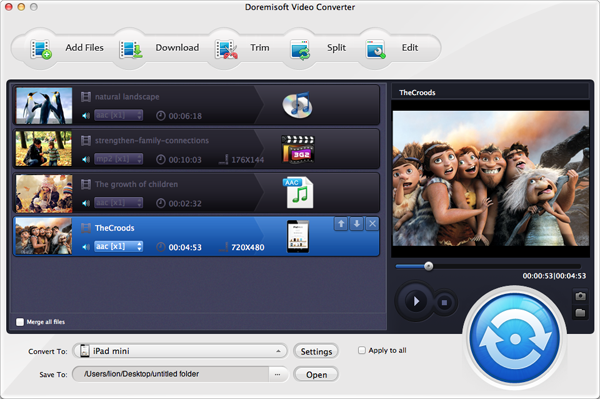
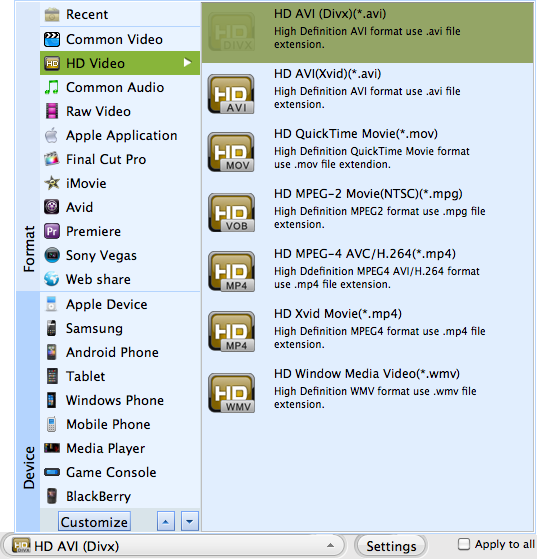
Hit "Profile" button to set iPhone 4S supported format as output.
You can:
Go to HD option------Set MP4 1080p/720p
Go to iPhone option ----Set MP4 480p
Click "Start" button to begin AVI to iPhone 4S Conversion.

Browser compatibility : IE/Firefox/Chrome/Opera/Safari/Maxthon/Netscape
Copyright © 2009-2015 Doremisoft Software Co., Ltd. All Rights Reserved
 Download
 Download