

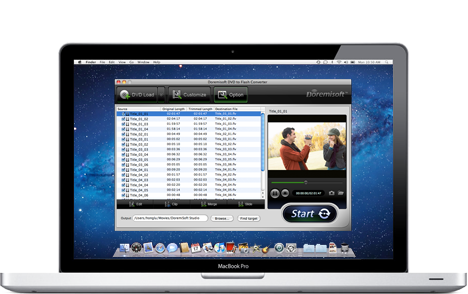
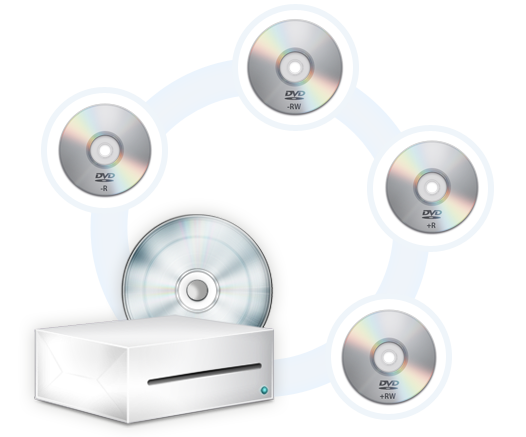
Doremisoft DVD to Flash Converter for Mac is an all-in-one DVD ripper & Flash encoder which can easily convert DVD to Flash video on Mac in a snap. It supports loading almost all types of DVD movies including commercial DVD with copy-protection, home-made DVD, DVD+R, DVD-R, DVD-RW, DVD+RW, HD DVD, DVD-RAM, VOB files, VIDEO_TS folder, etc. Equipped with simplistic interface but user-friendly features, it is the best assistant to help you create Web video from DVD movies.
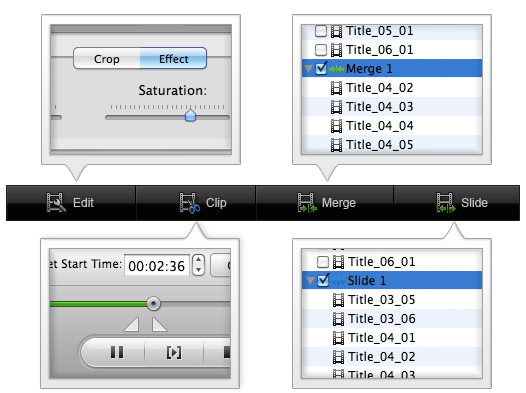
Before converting DVD to Flash, you can edit the source DVD movie with the powerful build-in video editor. For example, you can drag the "green square" to set the cropping values to crop and remove the unwanted area, like black bars; you can click "Clip" button and drag the sliders under the preview window to set the start and end time to get one or several desired segments from the source DVD movie; you can also select two or more DVD title or chapter and click "Merge" button to join them into a single one, or click "Slide" to put them together into a slide with video playlist. Furthermore, apply special effect to the DVD video and adjust the video brightness, contrast and saturation.


After converting DVD to Flash, it is capable for you to share the output Flash movie anywhere. For example, you can upload the whole output folder to your server via FTP and then publish the Flash video on your website or blog using the generated HTML embed code. You can also share the output video to your friends on YouTube, Vimeo, Hulu, etc. video-sharing sites by uploading the FLV video content.

Preview the Flash video before converting DVD to Flash on Mac.

Take a snapshot from any frame of the video and save as JPG, BMP or JPG.

Automatically check for the latest upgrade of the DVD to Flash Converter for Mac

E-mail help within 24 hours by technical support team.

$99.99
Mac SWF Video Converter, amazing SWF to Video Converter for Mac users to convert Flash SWF to Video like MOV, MPEG,AVI, iPad, iPhone, etc.

$49.95
Video to Flash converter for mac, a Flash FLV and SWF creator can assist mac users to create flash video by converting video to Flash video format (FLV or SWF) on mac
$35
Video Converter for Mac, the best Mac Video Converter, is designed to convert among videos like MP4, MOV, MPEG-1, MPEG-4, H.264, DV, MTS, MOD, MKV, etc on Mac

$39.95
DVD Maker for Mac provides the perfect solution for you to create or burn DVD on OSX from almost any video file formats like MOV, MPEG, M4V, MKV and so forth.
Browser compatibility : IE/Firefox/Chrome/Opera/Safari/Maxthon/Netscape
Copyright © 2009-2015 Doremisoft Software Co., Ltd. All Rights Reserved