
Doremisoft Mac Video to Flash Converter

Doremisoft Mac Video to Flash Converter

Easy Way to Convert Video to Flash FLV and SWF

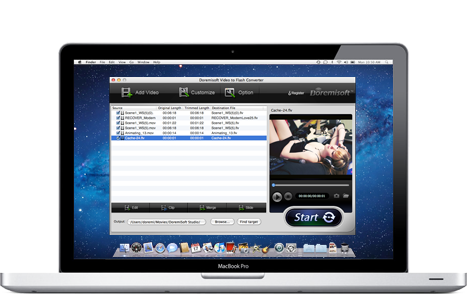
Do you want to make stylish flash video for uploading to your website? It will be very easy if you use this Video to Flash Converter for Mac (Lion included). It is able to convert all popular video format files to flash video format (FLV and SWF), and enable you to upload your favorite videos to popular video sharing websites, insert them to your own website , blog, or social site like My space, facebook, etc.

  • Convert almost all video formats to FLV/SWF/HTML for the web publishing and sharing.
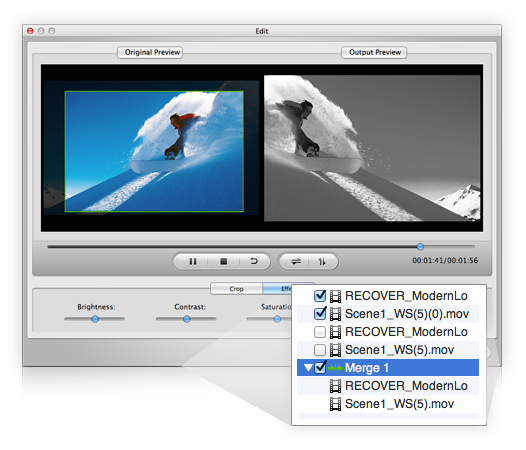
  • Possible to edit videos with built-in editor: edit, clip, merge and slide.
  • Brand Flash videos with watermark logo and text messages.
  • Customize nice web/flash video player as you like.
Note: If you are windows user, please go to For Video to Flash Converter >>
System Requirements Intel-based Mac(32-bit)
Mac OS X 10.5 Leopard or 10.6 Snow Leopard
Download Size: 28.2 MB
Add to Cart $49.95
  • Overview
  • Tech Specs
  • Screenshot
  • Tutorials

Converting All Popular Video to Flash Video

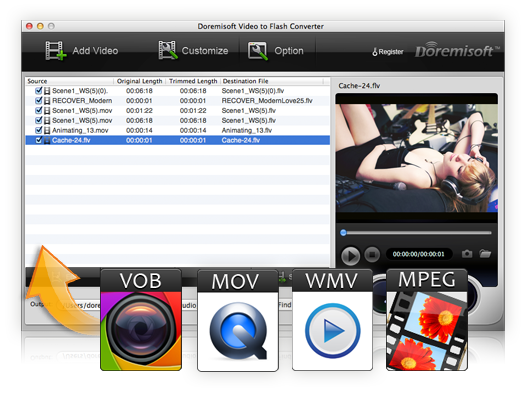
Video to Flash Mac converter is a workaround for all popular video formats, like 3GP, MP4, ASF, MOV(Quick Time), MPEG, MPG, WMV, AVI, MKV, RM, RMVB, VOB, HD video, etc. Result files can be played back on web pages or by flash players of your computer.

Customize video with ease

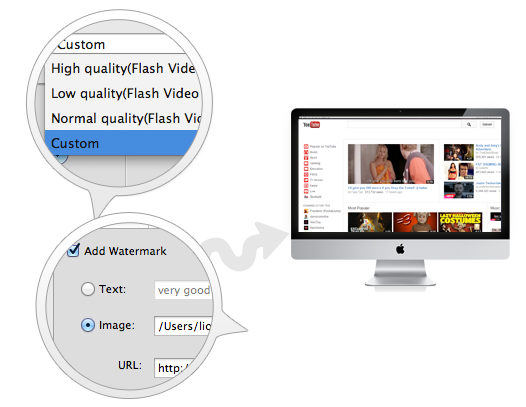
Add image or text into video as watermark so as to show company's logo or other necessary attributes and embed clickable URL in flash video.

Clip video to get one or several desired segments from the source video.

Adjust video brightness, contrast and saturation and add old film, emboss and gray effect.

Set the cropping parameters to get rid of the unwanted area, like black sides.

Change profile video and audio setting to customize flash videos according to your requirement: video width, Height, Frame Rate, Bitrate and audio Sample Rate, Channels, Encoder, Bitrate, etc.

Easily Create Personalized Flash Video Player

You can create a stylish flash video player (with scrollable playlist, special effect and skinner control bar) for embedding on your web page, so you can add as many videos to the playlist of the player as you wish like a pro, even though you don’t know much action script or web programming.

More Output Format Options to Meet Your Need

You can export Flash video in FLV, SWF video formats with high quality, normal quality or low quality and generate an HTML webpage with embedded video.

Input File Formats Supported

Support almost all video formats, including MOV(QuickTime), M4V, 3GP, MP4, AVI, WMV, RM, RMVB, MKV, VOB, MPG, MPEG-1, MPEG-2, MPEG-4, FLV, HD video, AVCHD, MTS, M2TS, TS, T2S, TP, TRP, DV, etc.

Output File Formats Supported
Generate FLV: the export video files are in FLV format
Generate SWF-->Embed the video in SWF and play in timeline: the output video clips are in SWF format , with FLV files embedded.
Generate SWF-->Play the created external FLV file progressively: the output video are in SWF format, with FLV files external linked to a default path.
Getnerate HTML: the output files are in HTML page embedded flash video player.
Generate Thumbnail: generate a cover for the output flash video as the first frame of the flash video.
System Requirements
Intel-based Mac(32-bit)
Mountain Lion, OSX 10.7 Lion, Mac OS X 10.5 Leopard or 10.6 Snow Leopard
  • Mac Video to Flash Converter
You May Be Interested in These Items
Doremisoft DVD to Flash Converter for Mac
rip video DVD to SWF/FLV on mac for webpage and blog Learn more Free Trial
Doremisoft SWF Video Converter Mac
Mac SWF Video Converter, amazing SWF to Video Converter for Mac users Learn more Free Trial