

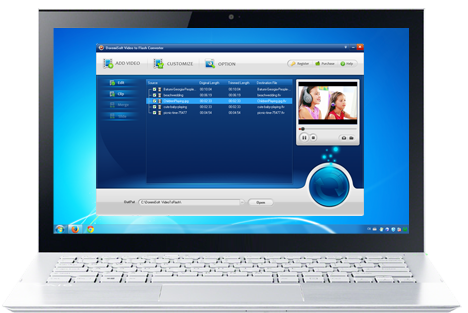
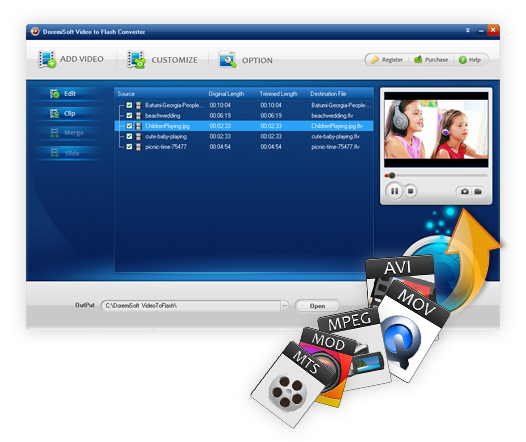



Doremisoft Video to Flash Converter can automatically encode video to Flash with SWF player, FLV video content, and generate thumbnail image and HTML code for easy embedding on webpage. Moreover, it will also generate a video playlist. Therefore, users can easily stream the Flash video to their own website or blog by uploading these contents to the server via FTP. They can also share the Flash movie on YouTube, Vimeo, Hulu and more video-sharing sites by simply/only uploading the FLV video content to the sites.

The user-friendly interface allow all users easily make Flash video without Flash knowledge.

Multitasking and batch conversion supported.

This smart program will trace the latest version and conduct the update automatically.

Users can get the free technical support in case of any problems related to the software.

$39.95

$49.95
Best video to flash software to convert the existing video to Flash video format FLV and SWF for website and blog.

$49.95
Video File converter, good movies converter to Convert video and HD video to almost any video formats and for playback on all major mobile players.

$89.99 $69.00
Doremisoft SWF video converter is a fantastic and versatile program, which enables you to convert SWF video to a wide rage of video formats like AVI, WMV, MPEG4, MPEG2, etc. That's to say, it takes the hassle out of finding SWF video codecs and fighting with playback on your PC.
Browser compatibility : IE/Firefox/Chrome/Opera/Safari/Maxthon/Netscape
Copyright © 2009-2015 Doremisoft Software Co., Ltd. All Rights Reserved