


TRP is one kind of high definition video file, containing H.264 video and AC3 audio data. TRP HD video Transport Stream video has the filename extension .trp.
Final Cut Express is the relatively inexpensive consumer version of a professional video editng suite. Final Cut Express gives you the capability to synchronize images and sound, add special effects, and export projects as standalone videos in a variety of formats.
One of my friends has a satellite receiver that has a PVR recorder that records to TRP files and he want to edit TRP on FCE but FCE can't support .trp files. Do you have the same experience? The best way to edit your TRP files on FCE will be converting them to formats that are perfectly supported by FCE. These formats are also QuickTime compatible formats such as MOV, DV, MP4, HDV etc. Doremisoft TRP to FCE Converter is the perfectly right program to import TRP to FCE and TRP to Final Cut Express Converter actually is a HD Video Converter Mac software for TRP is a kind of high definition video file.
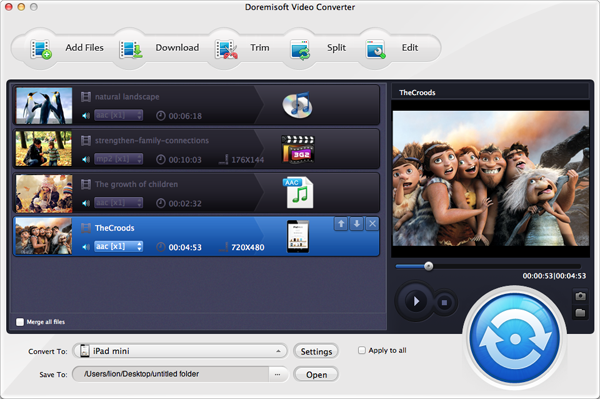
Doremisoft TRP to Final Cut Express converter is very easy to use. All you need to do is to import, select output format and then convert, as shown in the three easy steps below:
Click the “Add File” button to add the TRP files from your hard disc to Doremisoft Mac TRP Converter.
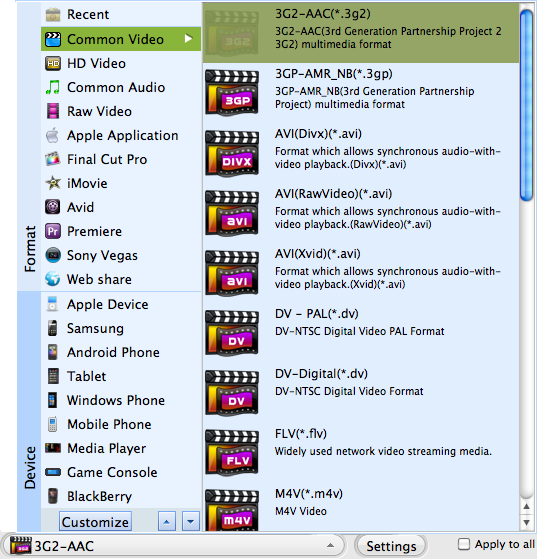
Click on the right part of the Profile field, move your mouse cursor to Common Video, and select the first profie: .dv
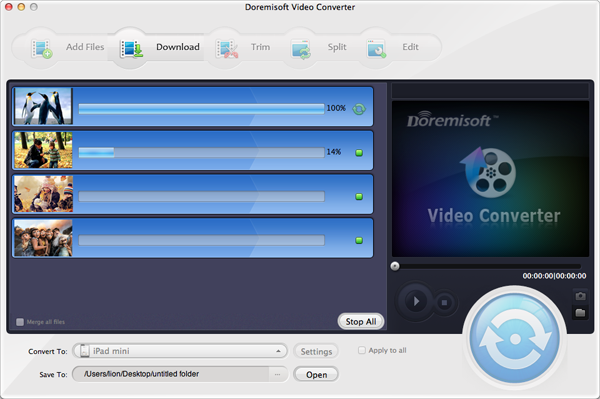
Click on the start button to start the conversion. The output folder will be opened after the conversion.

Browser compatibility : IE/Firefox/Chrome/Opera/Safari/Maxthon/Netscape
Copyright © 2009-2015 Doremisoft Software Co., Ltd. All Rights Reserved
 Download
 Download