


TP, a Beyond TV Transport Stream File, is created by Beyond TV digital video recording software and recorded by a compatible TV tuner card and a television source such as satellite, antenna, etc.
"I downloaded a file that is supposed to be a video ripped from an HDTV. The extension is .tp? Sounds fake to me, I used both AVICodec and GSpot to try and figure out what type of video file it is. And Which is the best solution to edit TP files with Final Cut Express" Many friends has such similar problems
Final Cut Express is the relatively inexpensive consumer version of a professional video editng suite. Final Cut Express gives you the capability to synchronize images and sound, add special effects, and export projects as standalone videos in a variety of formats. These formats are also QuickTime compatible formats such as MOV, DV, MP4, HDV etc.
Therefore the best solution to edit TP files with Final Cut Express is using Doremisoft TP to FCE Converter, which is the perfectly right tool to import TP into FCE.
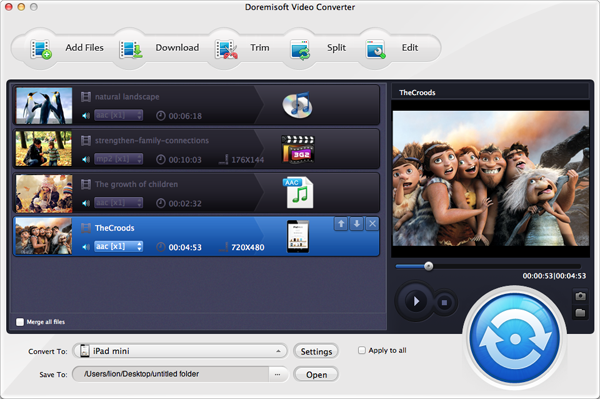
Doremisoft TP to Final Cut Express converter is so easy to use that all you need to do is three-clicking: importing, selecting output format and converting, as shown in the three easy steps below:
Launch TP to Final Cut Express Converter, then click the “Add File” button to add the TP files from your hard disc to Doremisoft Mac TP Converter.
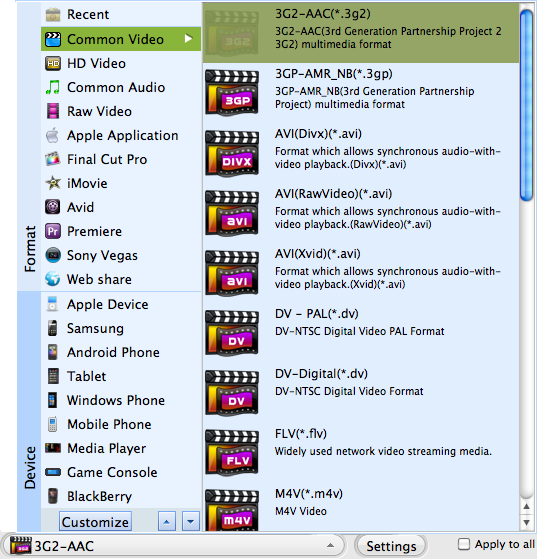
Click on the right part of the Profile field, move your mouse cursor to "Common Video> .dv" option
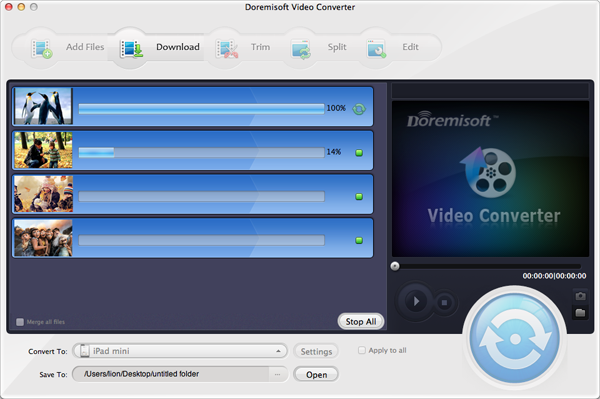
Click on the start button to start the conversion. The output folder will be opened after the conversion.

Browser compatibility : IE/Firefox/Chrome/Opera/Safari/Maxthon/Netscape
Copyright © 2009-2015 Doremisoft Software Co., Ltd. All Rights Reserved
 Download
 Download