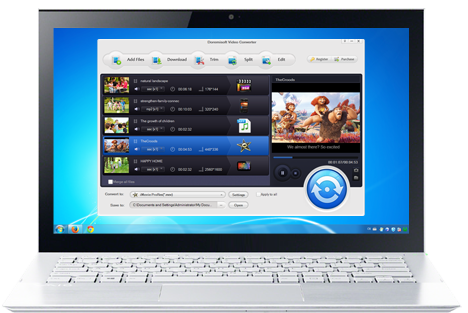
Flip Converter is a newly-designed for flip users to convert flip video to all popular video formats, like MP4, MOV, MPG, 3GP, AVI, WMV, FLV, etc on Mac OS X.
is the best video to flash software to convert the existing video to Flash video format FLV and SWF which is the first choice to add video to website and blog.
provides a fast and easy way to batch convert your DVD movies to Flash and separately convert any title or chapter of DVD clips to Flash FLV/SWF on Windows.
Convert flip to popular video formats:
Convert flip video to avi, flip video to mp4, convert flip video to mov, convert flip video to 3gp/3g2, mpeg1, mpeg2, mpeg4, flv, swf, mkv, dv, rm/rmvb, wmv, m4v etc.
Extract audio from flip video
Extract and convert audio from flip video to wma, m4a, mp3, wav, aac, ac3, amr, mp2, flac, aiff, mka and so on.
Convert flip video to all popular players:
Convert flip video to iPhone, convert flip video to iPod, convert flip to PSP, convert flip to Apple TV, convert flip to BlackBerry, Zune, Gphone, Palm, iRiver, etc.
Convert flip video to iMovie
Convert flip video to iMovie, convert flip video to Windows Movie Maker, convert flip to iTunes, iDVD and so on.
Support full flip series:
Support the full flip camcorder series including Flip Ultra, Flip Ultra HD, Flip Mino, and Flip Mino HD.
Crop flip video
Crop the screen of your video to remove unwanted sides or parts from your flip video, or to zoom in the video part you want to emphasize.
Edit video effect
Apply special video effects such as emboss, old film, gray etc. to your flip video and adjust video brightness, contrast and saturation.
Multi-trim flip video length
Set the start time and end time or drag the start slider bar and the end slider bar to trim flip video length and capture any section you prefer. You can even trim one file multiple times without having to re-adding the file to the program.
Various video and audio parameters
Select video encoder, set video resolution/frame rate/bit rate, select audio encoder/ sample rate/channel/bit rate and so on.
Real-time preview
Preview the editing results real time in a new window right next to the editing window.
Take flip video snapshots
Take snapshots from your flip videos and save the snapshots as JPG, PNG or BMP format so you can capture still pictures from flip video.
Batch process
Add more than one flip videos and convert multiple flip videos at one time, and even merge more than one flip videos to convert them into a single file.