generates Flash video in FLV, SWF formats can help you upload your favorite videos to popular video sharing websites, insert them to your own website , blog, etc.
is a integration of a DVD ripper and a Flash FLV and SWF creator, which allows you to rip DVD movie and make Flash video at the same time with a few mouse clicks.
Doremisoft HD Video Converter for Mac is the perfect Mac HD converter to convert MTS, M2TS, TS, MKV, TP, TOD, etc HD video and convert video to HD on Mac OS.
1. Export video & audio formats:
Video: HD video(mpeg2,mpeg4,mov,wmv,avi),3gp, 3g2, mpeg1, mpeg2, mpeg4, flv, swf, mkv, dv, rm/rmvb, avi, divx,wmv, m4v, mov
Audio: wma, m4a, mp3, wav, aac, ac3, amr, mp2, flac, aiff, mka
2. Supports all Flip Video Camcorder models
Flip Mino, Flip Mino HD, Flip Ultra, Flip Ultra HD.
3. Transfer Flip files to multimedia devices
Supports all popular multimedia devices like: iPod, iPhone, Creative Zen, Zune, Apple TV, Sony PSP, Gphone, Palm, iRiver and different mobile phones.
4. Import Flip video to other software
With Mac flip video converter, you can import Flip video to iTunes, playback them with QuickTime, and edit them using iMove, Final Cut Express, Final Cut Pro.
5. Clip Flip video
Get the desired segments by setting the start time point and end time point. And it supports you to clip a single Flip video as many times as you wish.
6. Crop Flip video
Crop the video by defining the cropping values to easily get rid of the unwanted parts like the black edges.
7. Applying Flip video effect
Mac flip video converter empowers you to change the flip video effect by adjusting Brightness, Contrast, Saturation. And you can add some artistic effect to it, such as Emboss, Gray, Old Film.
8. Video & Audio settings
Set video encoder, resolution, frame rate, bitrate and audio encoder, channels, sample rate, bitrate.
9. Built-in player and preview window
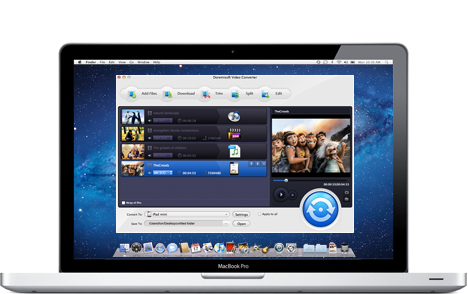
You can playback you Flip video with this Mac flip video converter and it offers you preview window to preview the changes during videos cropping, effect adding and conversion.
10. Capture still picture as a camera
Capture your favorite screenshoot from Flip video and save in JPG, BMP or PNG image formats
11. Easy-to-use
All work will be done with a few mouse clicks, no need of complex operation.