


Motorola Xoom is an impressive tablet and most of the geeks are impressed in the first look itself----thin, light and powerful tablet. And with the Google Android 3.1 updating. it has been a good competition to iPad 2, Samsung Galaxy Tab 10.1 so far.
It is powered by a 1GHz dual-core nVIDIA Tegra 2 processor, 1GB of RAM, 32GB of internal storage, a 10.1-inch 1280*800 pixel display, a 5.0 MP rear camera capable of shooting videos in 720p and a front facing 2.0 MP camera for video chatting.
With Android 3.1, the multi-tasking button shows the last app used on the bottom and apps used earlier in chronological order. The lower right corner shows the battery signal status as well as a shortcut to access the settings menu. Another tab on the top right corner will take you to the apps menu.
With such a advanced Android operation system and sexy display, many guys can't help playing some movies on this cool display, and the tons of family DVD has been a good source. But how do you enable them playing on Xoom smoothly, just convert the DVD files to the Xoom friendly formats directly. Following is the right answer.
Copy your DVD disk to the Hard Drive. Then load the DVD files to Mac DVD to Motorala Xoom Converter.
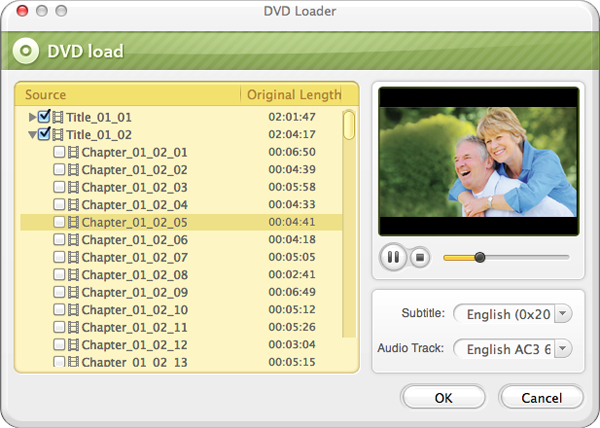
Motorola Xoom supported formats are: AAC, H.263, H.264, MP3, MPEG-4, AAC+ Enhanced, OGG, MIDI, AMR NB, AAC+
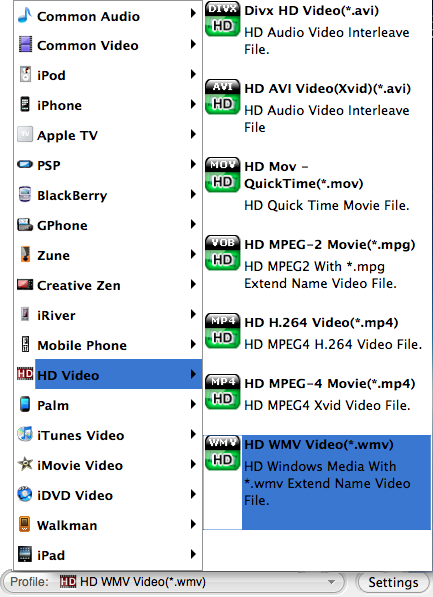
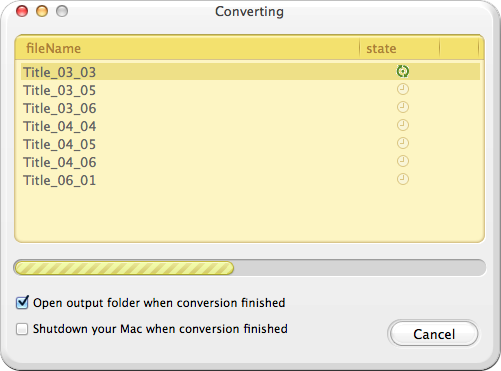
After the conversion finished, put the files on Xoom for 1080p Full HD playing is ok!
Browser compatibility : IE/Firefox/Chrome/Opera/Safari/Maxthon/Netscape
Copyright © 2009-2015 Doremisoft Software Co., Ltd. All Rights Reserved
 Download
 Download