


HP TouchPad is the one give customers super-cheap experience tablet, after atractive by the price, the customers next start to care the configration on it.
The specs on the HP TouchPad are the most impressive on a tablet yet.
It runs on a dual-core 1.2GHz Qualcomm Snapdragon APQ8060 processor, though HP remains mum on the amount of RAM included. The screen is an XGA capacitive touchscreen with a 1024×768 resolution, which is on par with the iPad 2. As for internal memory, the unit comes in 16GB and 32GB models (both Wi-Fi and with no expandable memory).
And its highs are:
Decent battery life
Intuitive and unique OS
Great screen size and shape
Simple Video formats: MPEG-4 (H.263, H.264 encoded)
Various Audio formats: DRM-free MP3, AAC, AAC+, eAAC+, AMR, QCELP, WAV
Lows:
No rear camera
webOS is sluggish
App design is sloppy
Tries too hard to mimic the iPad
Heavy and bulky
Fingerprint magnet
So if you choose the Touchpad, it must be needed for you and you are satisfied with it and its value. The left is just sync all kinds of video to it and enjoy it just like a iPad, iPhone or PSP. And here Mac Videos to HP TouchPad Converter is recommeded for you to sync all kinds of audios and popular videso like HD FLV, MPEG2, iTunes M4V, HD 1080p to the Touchpad.
1. Add videos from YouTube, Myspace, iTunes etc. to the program.
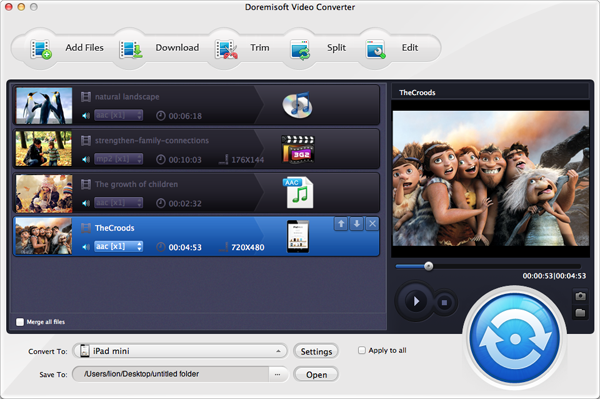
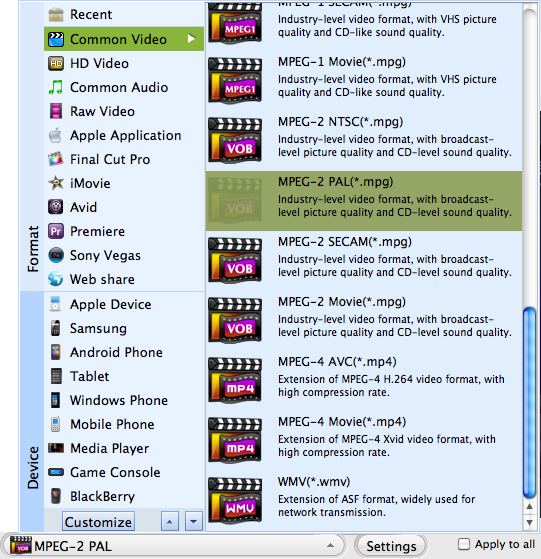
2. Set the output format for HP Touchpad. Go to "Common Vidoeo--"MP4(H.264 encoded)".
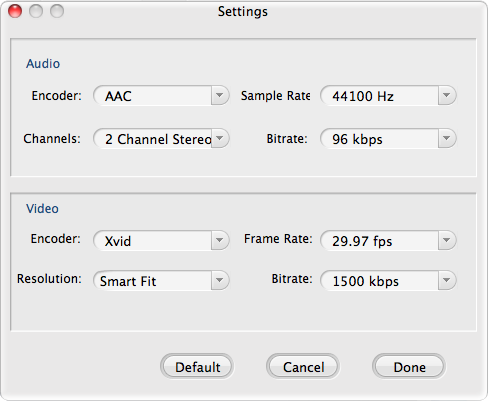
3. Do the video setting. Choose the best resolution for TouchPad.
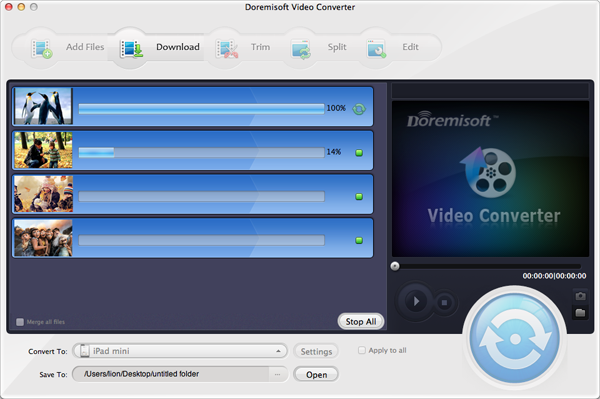
4. Start convert SD videos to TouchPad by clicking the "Start" button.
Browser compatibility : IE/Firefox/Chrome/Opera/Safari/Maxthon/Netscape
Copyright © 2009-2015 Doremisoft Software Co., Ltd. All Rights Reserved
 Download
 Download