


The new released Acer Iconia Tab A501 4G (AT&T) is the cheapest 4G Honeycomb tablet currently on the market. This 10.1 inch Tab powered by Android 3.0.1 Honeycomb, the NVIDIA Tegra 2 dual-core processor, 1.0 GHz, 1GB of RAM, 32GB of internal storage, a rear 5MP camera with LED flash, 2MP up front for those video conference users and a slew of ports as well.
The lens is capable of 720p video capture but it's nothing to write home about Full 1080p would be preferred but for the odd moment you'd like to capture video with the A501, you'll be just fine.
And the next get to the point that how to play SD videos on Acer Iconia Tab A501 in 720p. Here are the specs for its videos playing:
Screen Resolution 1280 x 800 pixels
Web Browser Yes
Flash support Yes
Music Playback Formats AAC, MP3, OGG, WAV, WMA
Photo Formats BMP, JPEG, PNG
Video Formats AVI, H.264
To play videos on the Tab, let's firstly convert the SD videos to Acer Iconia Tab A501 compatible AVI, H.2h4(MP4) format. And Video to Acer Iconia Tab A501 Converter for Mac is tool to help you achieve this:
Add videos from your PC Hard Driveto the program. You can click the "Add FIle" button to make it.
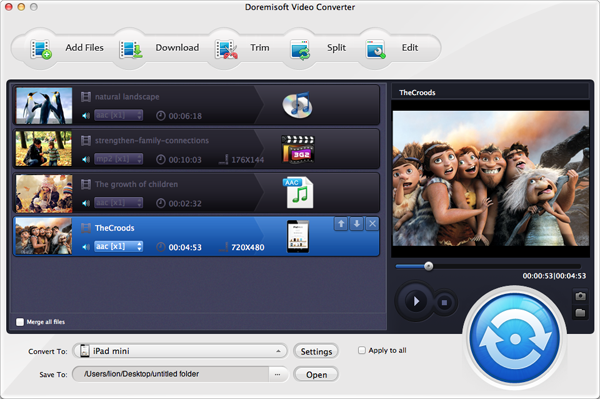
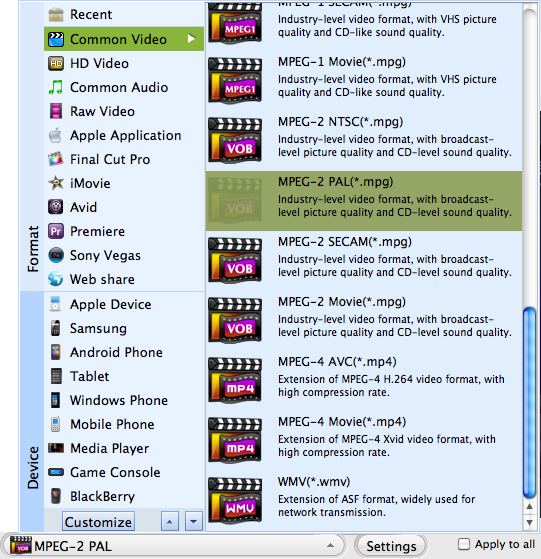
Set best output MP4 format for Acer Iconia Tab A501.
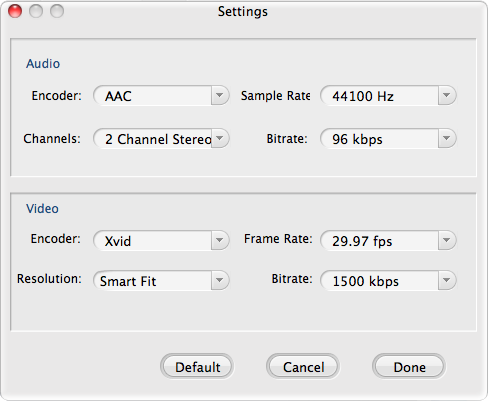
Resolution to set 720p is the best.
Click "Start" button to begin convert video you input to Acer Iconia Tab A501. You can define the video save destination to the way you best like, i.e. Desktop.
Browser compatibility : IE/Firefox/Chrome/Opera/Safari/Maxthon/Netscape
Copyright © 2009-2015 Doremisoft Software Co., Ltd. All Rights Reserved
 Download
 Download