


HTC Flyer hits the market with unique features like excellent screen quality, durable construction, HD video recording, and unique features, such as digital pen compatibility and HTC's Sense UI customization.
It use 7.1 inch display running Android 2.3 and with Adobe Flash 10.1 being preinstalled. But 1.5 Ghz CPU, 1GB RAM and extra long power, we can see here absolutely:
Video playback (with WiFi off):
3G version: Up to 8 hours
Wi-Fi version: Up to 8 hours
Internet browsing:
3G version: Up to 6.5 hours
Wi-Fi version: Up to 6.5 hours
Absolutely this a little small but powerful guy is born to playing videos and audios, after we learn about its supported video formats: 3gp, .3g2, .mp4, .wmv (Windows Media Video 9), .avi (MP4 ASP and MP3), .xvid (MP4 ASP and MP3) we are close to the way how to play all kind of videos on HTC Flyer. You can use Video to HTV Flyer Converter to convert formats not in the supported list like MOV, MPEG, M4V, SWF, FLV, DV etc. any videos to HTC Flyer natively supported Mp4, WMV, AVI for best playing.
Click "Add File" to add video from your PC Hard Drive to the program.
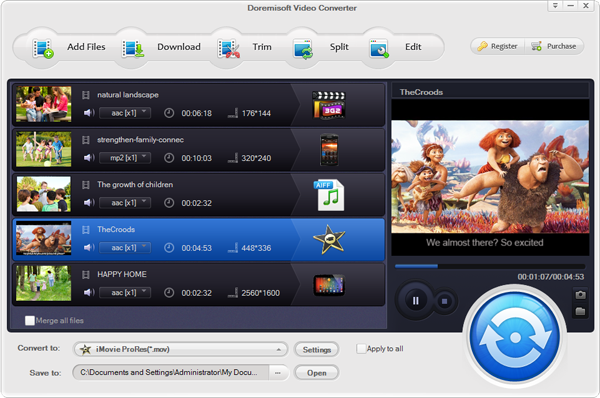
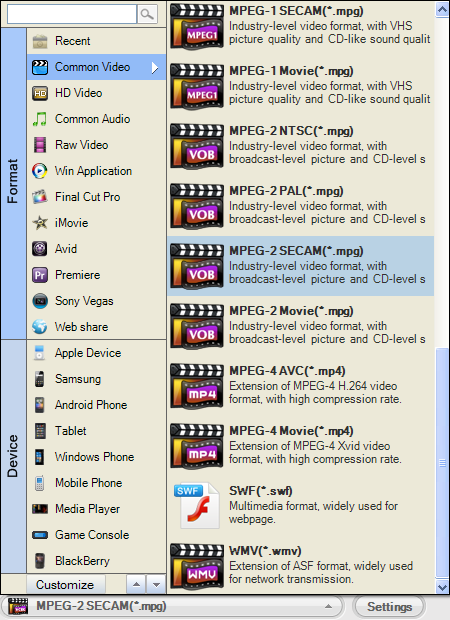
Hit the "Profile" button and choose HTC Flyer supported format:
Video: MPEG4, WMV, AVI. HTC Flyer Display is in 600 x 1024 pixels, recommend resolution: 720p.
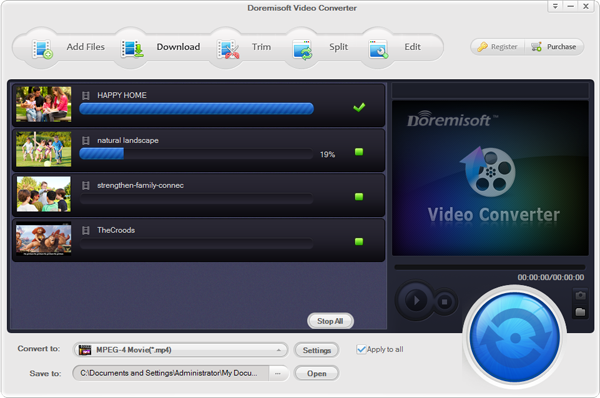
Click "Start" button to begin convert common video to HTC Flyer MP4.
Related: convert and play videos on HTC Evo 4G in 720p
Browser compatibility : IE/Firefox/Chrome/Opera/Safari/Maxthon/Netscape
Copyright © 2009-2015 Doremisoft Software Co., Ltd. All Rights Reserved
 Download
 Download