


This article mainly talks about how to import mpeg-2 to iTunes on a Mac OSX? Incompatibility issue between iTunes and MPEG-2 Windows video file is one of the frequently asked questions about viewing and syncing videos. If you need to transfer MPEG-2 to iTunes and then sync to iPod, iPhone, iPad, youll need the MPEG-2 to iTunes converter for Mac.
MPEG-2 to iTunes converter for Mac is free downloadable to Power Mac and Intel Mac (10.4-10.6 and later) and comes with user friendly interface. It supports all the currently popular recordings from camcorders like Panasonic, Canon, Sony, Kodak, Flip video camera. It also features powerful and simple editing capacity like cutting unwanted frames, join multiple clips into one.
Mac MPEG-2 to iTunes converter is the easiest solution to convert MPEG-2 into iTunes supported file format MOV, MP4, H.264, WAV without harming video-audio quality.
To convert your video files MPEG-2 to iTunes, you can just following the simple steps below:
Step by step guide on how to import mpeg-2 (HD) to iTunes using simple MPEG-2 to iTunes converter for Mac
Click the "Add File" button and browse the directory of your computer to load videos you want to convert.
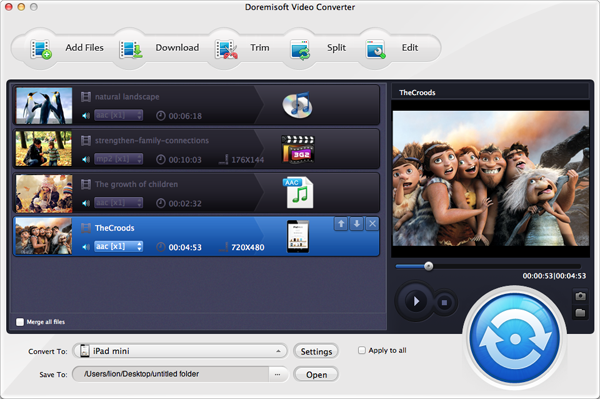
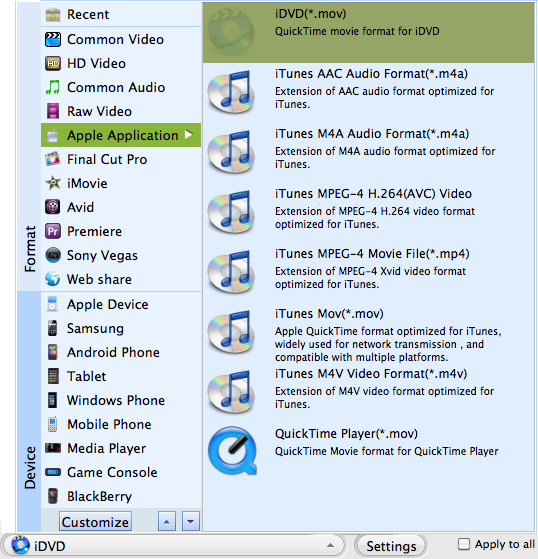
You are presented with a rich list of output format. In the case to iTunes, we suggest you select MPEG-4.
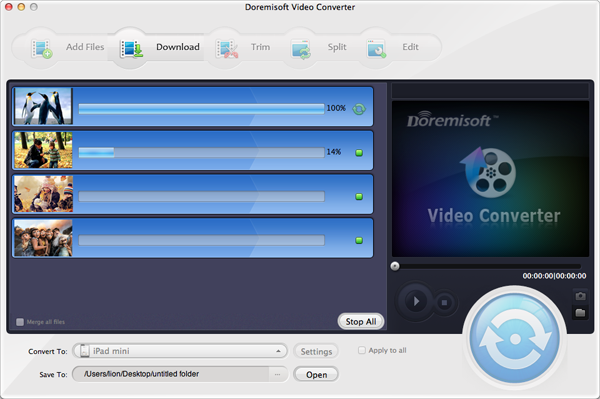
Hit the "Start" button begin to process to convert mpeg-2 to iTunes mpeg-4 format.
Browser compatibility : IE/Firefox/Chrome/Opera/Safari/Maxthon/Netscape
Copyright © 2009-2015 Doremisoft Software Co., Ltd. All Rights Reserved
 Download
 Download